4 Iterations ofReality Model
Created at least 4 different versions of the reality model, along with 2 additional concept directions.


2024.09 – 2025.09
AI / mental health / user mental map / gamification

Mindloom: Part 2
Product designer | UX/UI Designer
Mindloom is a platform where users can allow an AI system to store their data and build a personalized map reflecting their mental state. In this section, I focus on designing a unique mental graph, as well as a more traditional AI-chat between participants, therapists, and AI.
Tools
Figma, Notion, ChatGPT, Midjourney
Created at least 4 different versions of the reality model, along with 2 additional concept directions.
Added a fourth, standard dark theme for the AI-chat and reality model.
Designed the therapist AI chat and its supporting interaction logic.
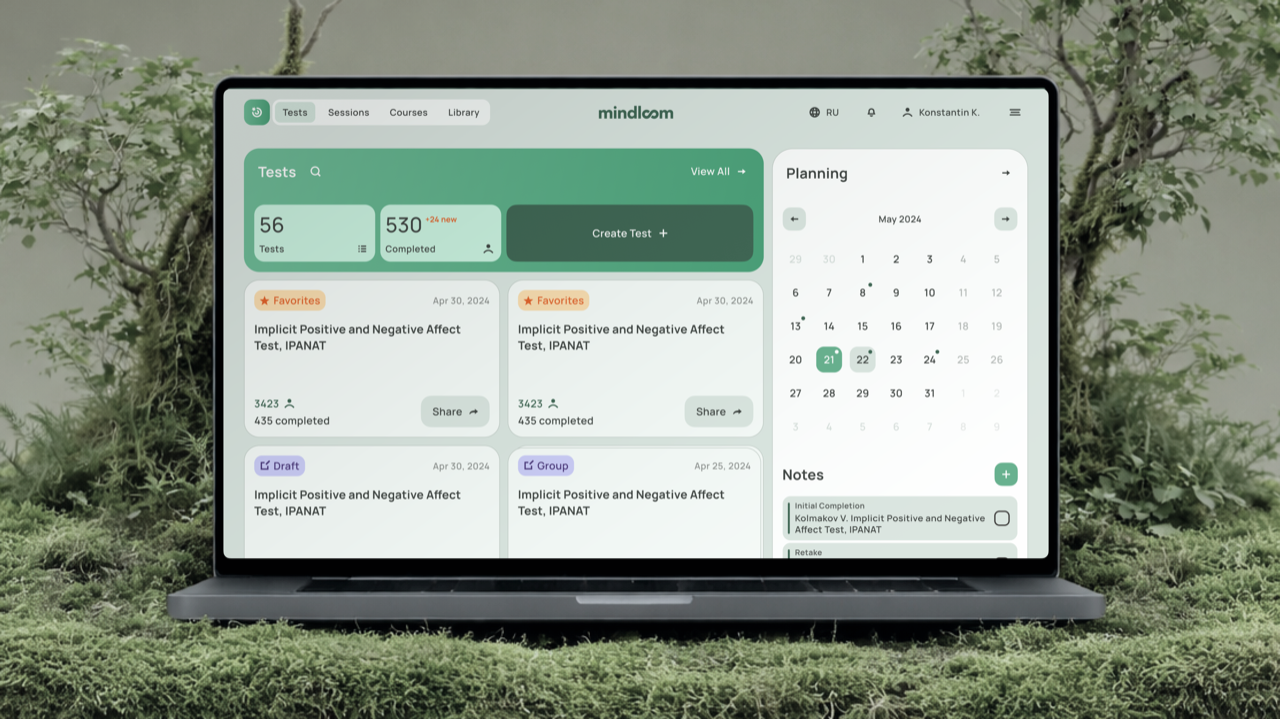
As mentioned in Part 1, Mindloom includes three core modules through which AI can learn more about participants: the results of completed tests and courses, therapist session records.
My task was to design an interactive way to visualize this data through an unconventional map-like interface that could become a distinctive part of the Mindloom product.
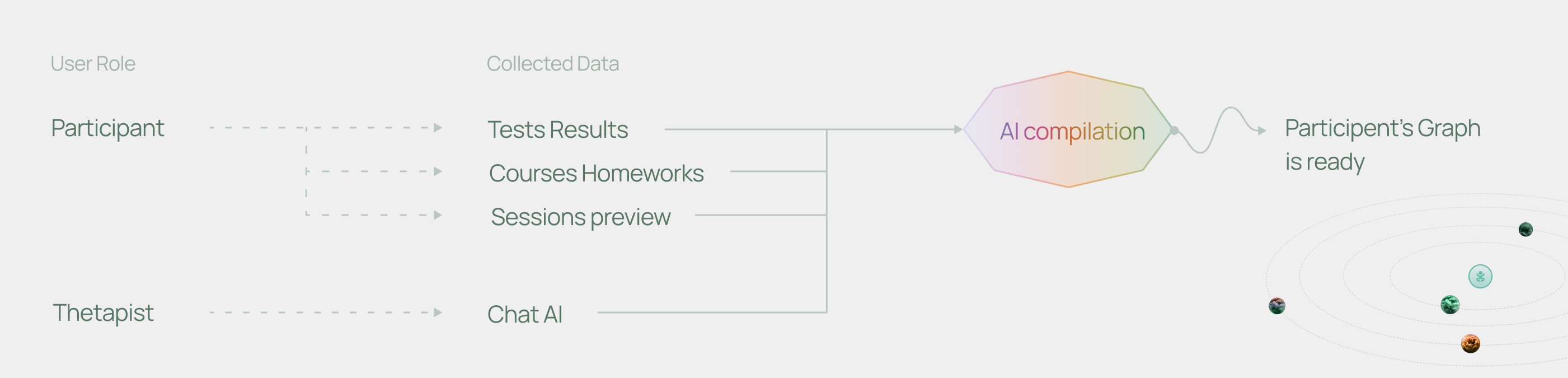
Another important part of the work was designing a more standard AI chat experience, where therapists could discuss participant progress and generate new content for the platform.
The reality model was inspired by graphs, maps, Pinterest visuals, and game interfaces. The client wanted the concept to feel distinctive and playful, while still being realistic to implement on the web.
That's why we focused on unique websites with strong visual systems, interactive mechanics, and subtle gamification elements.
As a gamer, I especially enjoyed working with these references :)
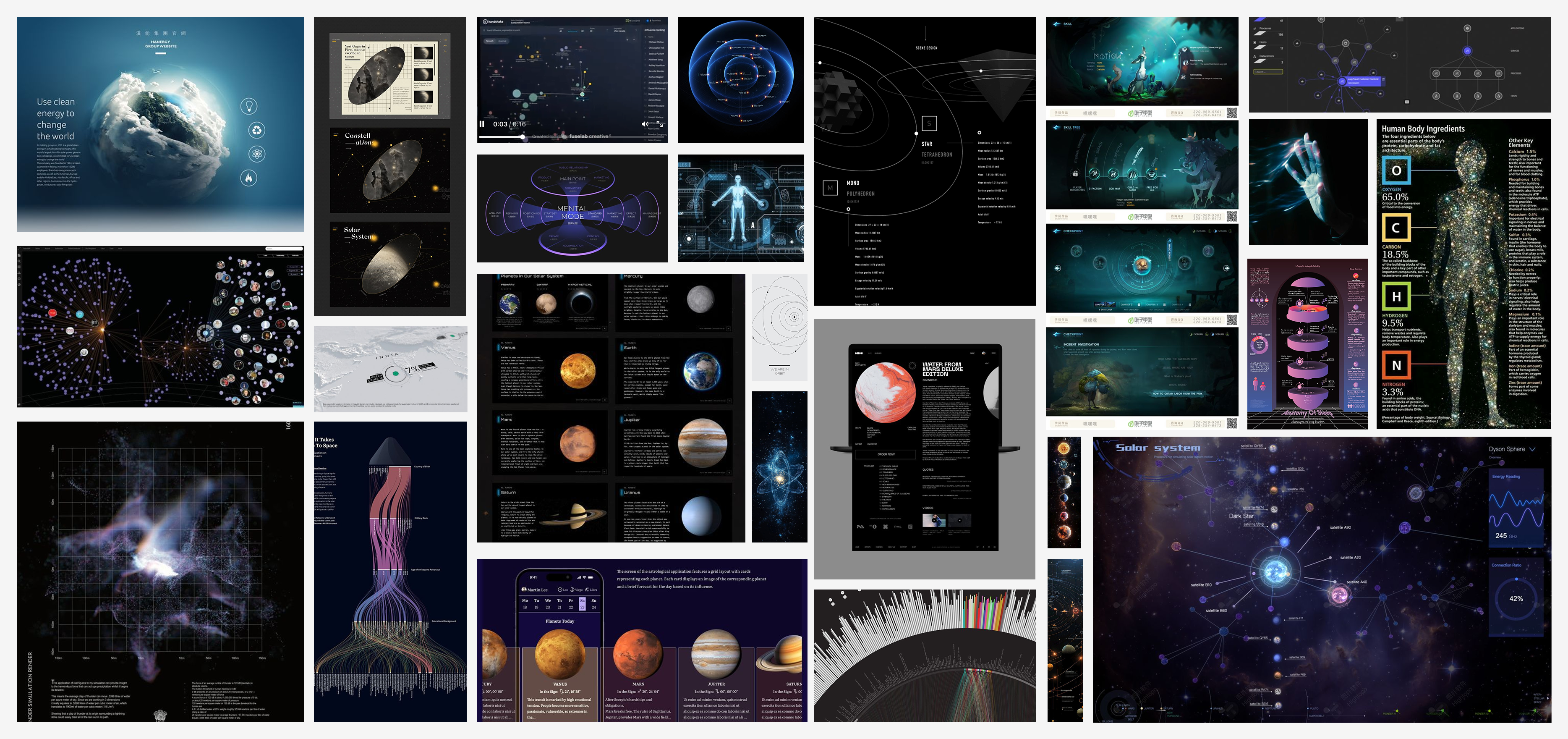
After collecting references, we started shaping and discussing the concepts that Mindloom could evolve into. In the end, the client did not want a standard graph, but rather a more engaging and distinctive experience with its own visual logic.
The reality model is shown as a classic network graph, where each node has clear connections. Its size and color change according to the user's data.
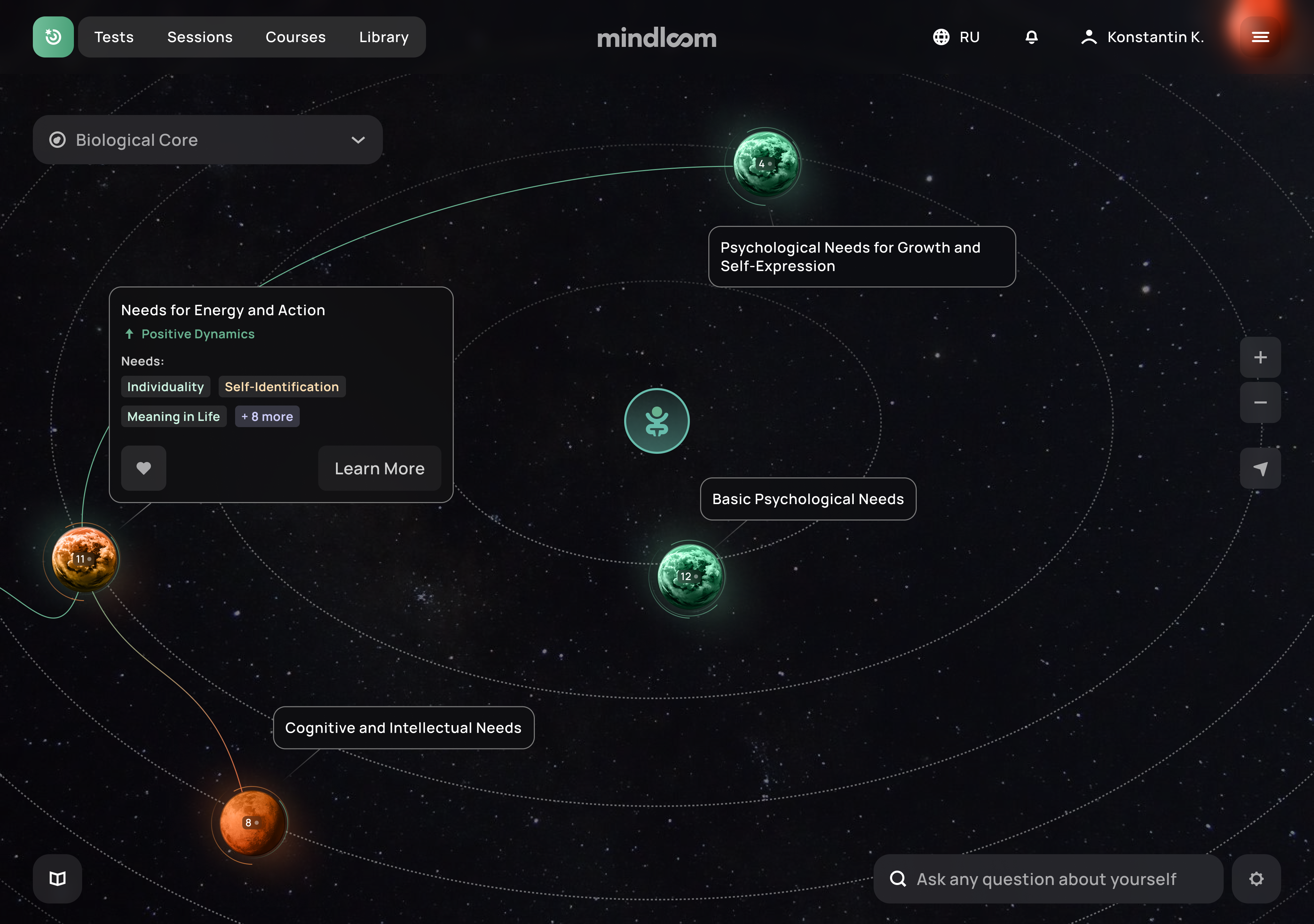
The reality model is visualized as a planetary system, where each planet represents a data point and changes its color based on the user's state.
The reality model is built from layered stained-glass patterns that overlap, creating a unique reflection of the participant's inner world.
The user's reality model is shaped as a web of interconnected threads, where every node is linked to others and all data points gradually intersect.
As a result of the discussions, the client approved the solar system concept. During the process, we developed four iterations of the reality model, including prototypes and mobile interface versions.
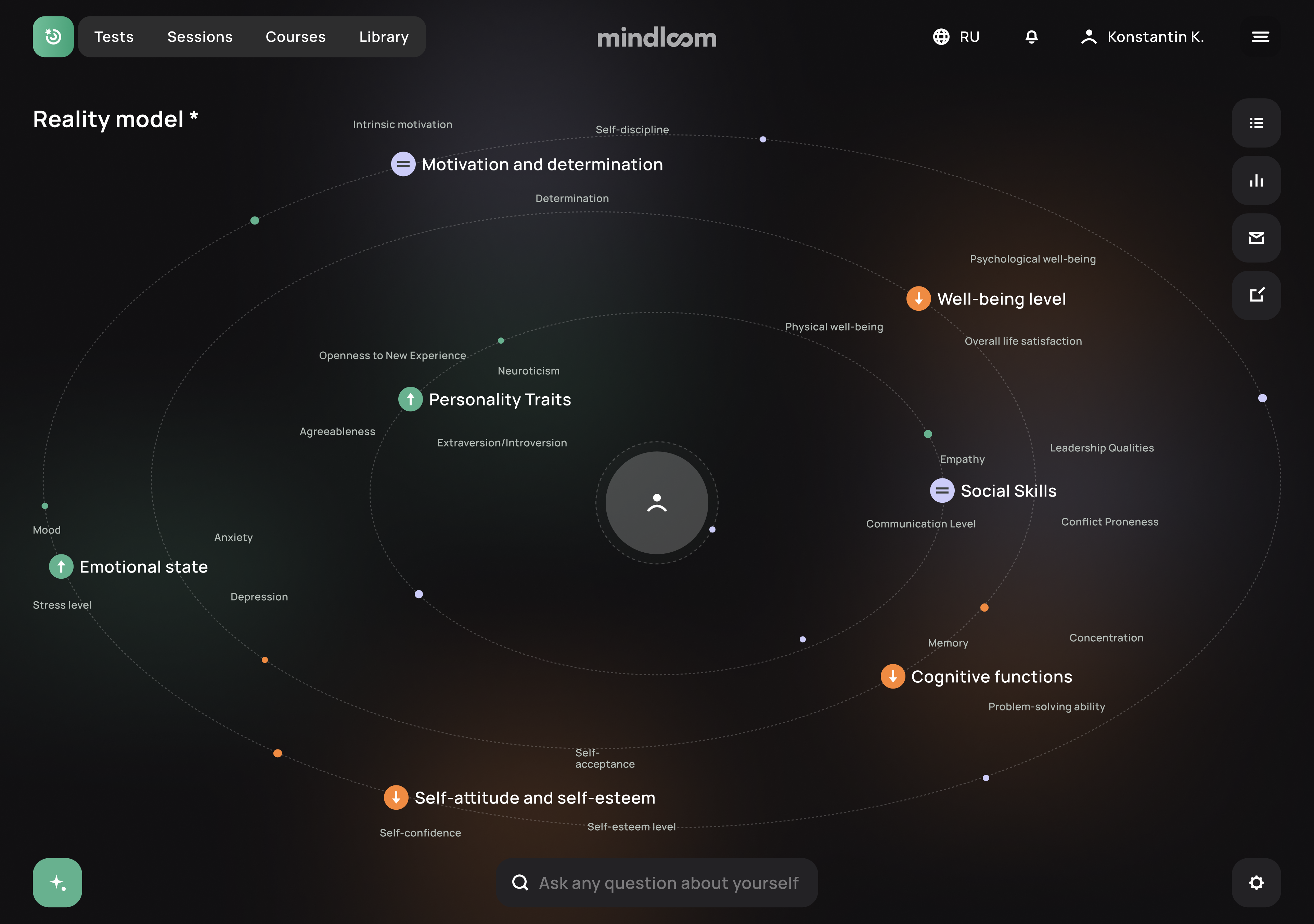
I used a simple color system to describe the participant's current state.

Used when most indicators are stable and no critical deviations are detected.

Used when the system does not have enough test or survey results to evaluate the state.

Used when some indicators fall outside the normal range, but the situation is not critical yet.

Used when serious deviations are detected and the participant may need urgent support.
Based on this palette, I designed planet visuals for the main nodes. Positive states were shown as habitable planets, while more critical states became closer to a Martian-like surface. For the unknown purple state, I used a moon-like visual to make it feel mysterious and undefined.
The satellites followed the same logic: their color and texture changed depending on the participant's state. In more critical cases, they became sharper and more angular, acting as a visual warning signal.
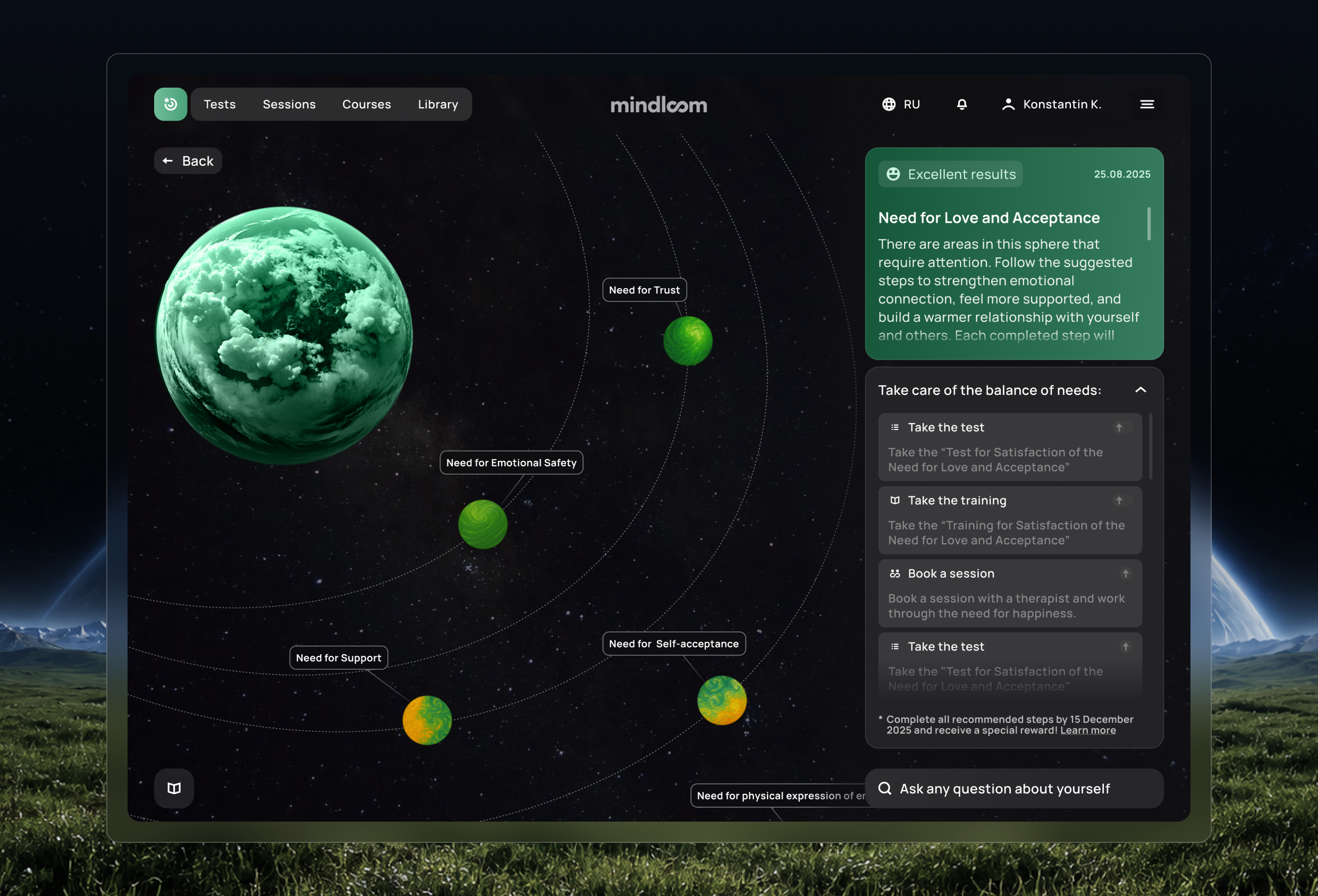
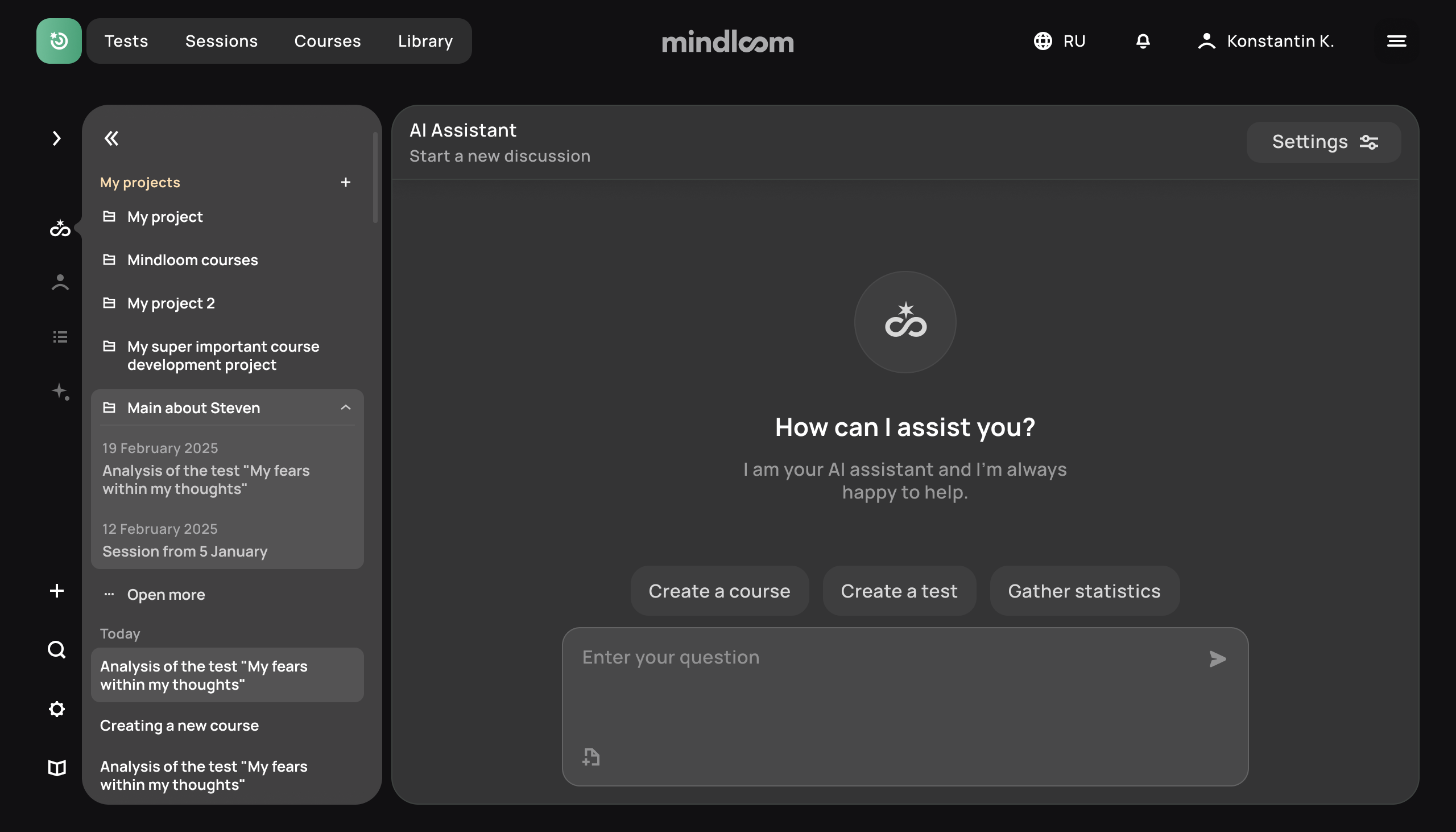
In parallel with developing the Reality Model, I created an AI chat where therapists could discuss participants' progress and also create new content.
The main goal was to organize chats for therapists by participants, courses, and tests, so they could quickly navigate each section.
There were many more concepts I wanted to bring to life for this project together with the team.
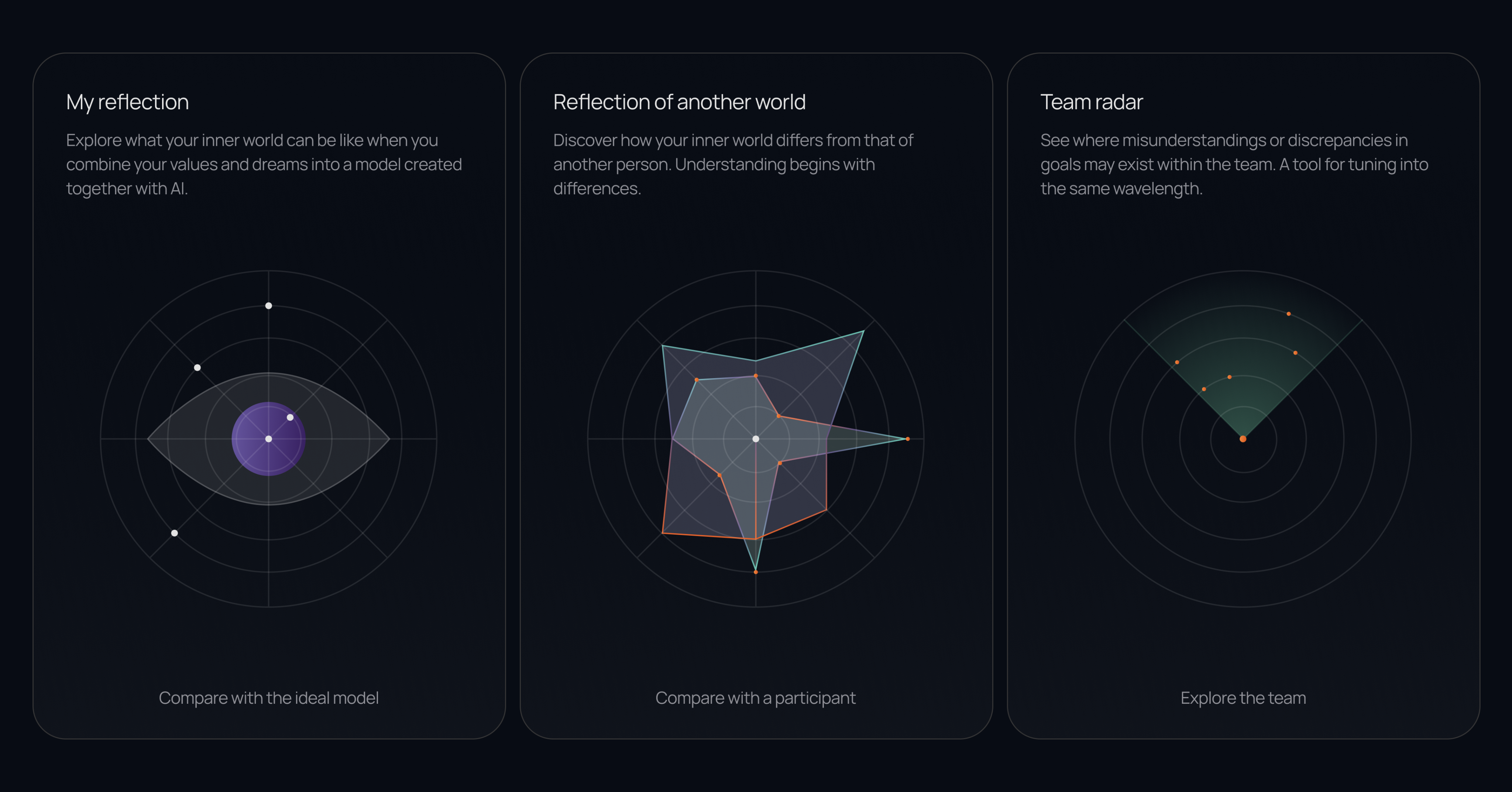
First, we wanted to create an AI chat where participants could talk to a reflection of their inner self. We also planned to add mini-games and a tool for comparing different views of reality.
This project gave me the opportunity to work on unusual and unique ideas that are often used in presentations, but are not always common in web design.
One of the main challenges was to create a graph interface that would be convenient for development, clear for users, and at the same time visually unusual — something that did not feel like a standard solution.
My favorite part of the project was working on the animations inside the interface, choosing the color system, and describing the relationships between the planets.
If you have a project you would like to work on together, feel free to reach out. We can create something thoughtful, detailed, and genuinely exciting.
Let's build something coolOpen to projects
Contact me and we'll turn your idea into a great product.